

Microsoft 365 Copilot in everyday work.
One prompt. One less problem. More time for what really matters.
Microsoft 365 Copilot can do far more than just draft texts or summarise information. Used correctly, Copilot helps you tackle specific challenges in your day-to-day work – directly within the applications you use every day.
Using typical everyday scenarios, we’ll show you how to achieve your goals faster with the right prompt.

Good results start with the right instructions. The more specifically you explain to Copilot what you want to achieve, what information should be taken into account, and what the result should look like, the more helpful the response will be.
That’s why our prompt guides deliberately go a step further than simple one-liners.
Each guide contains:
- a specific challenge from day-to-day work
- the desired goal
- a detailed, ready-to-use prompt
- clear instructions and guidelines
- guidelines on what information Copilot should take into account
- a specific structure for the desired outcome
Simply copy the prompt, customize it as needed, and try it out in Microsoft 365 Copilot.
Our prompts for your day-to-day work.

Prompt 1 | Back from holiday: clearing out your inbox.
387 unread emails – where to start? After two weeks away, you’re faced with emails, appointments, new tasks and pending decisions. Instead of working your way through your inbox message by message, let Copilot identify and prioritise the most important issues.
This prompt will help you:
Prioritise emails, identify outstanding tasks, summarise key client and project issues, and spot messages that require a reply.

Prompt 2 | Meeting over – what were the key points again?
After a Teams meeting, there’s often a lot of information to take in: decisions, tasks, open questions, deadlines and next steps. Instead of going through your own notes again or trying to reconstruct the entire conversation in your head, Copilot can summarise the key points for you in a structured way, based on the meeting transcript.
This prompt helps you to:
Summarise decisions and key points, identify outstanding issues, filter out personal tasks, and clearly present responsibilities and explicitly stated deadlines
Handy tip: Did you miss the meeting? The same prompt works just as well in that case. The only requirement is that a transcript of the meeting is available. This allows you to quickly get an overview even after the event, without having to watch the entire recording.

Prompt 3 | A 20-page concept. What does senior management need to know?
There’s a lot of information – but which parts are actually relevant to the decision?
A detailed concept contains background information, analyses, arguments and details. However, senior management usually needs something else: the key findings, implications, risks and decisions – presented concisely and to the point.
With the right prompt, Copilot can analyse extensive documents and condense the content specifically for a particular target audience. You specify which perspective should be adopted, which information is relevant and how the result should be structured.
The prompt helps you to:
identify the key messages of a lengthy document, prioritise information relevant to decision-making, highlight opportunities and risks, and present outstanding decisions or actions required in a concise format for senior management.
Handy tip: Naturally, this approach isn’t limited to senior management. Simply adjust the target audience and their information requirements in the prompt – for example, for a client, the sales team, a project team or other internal stakeholders.
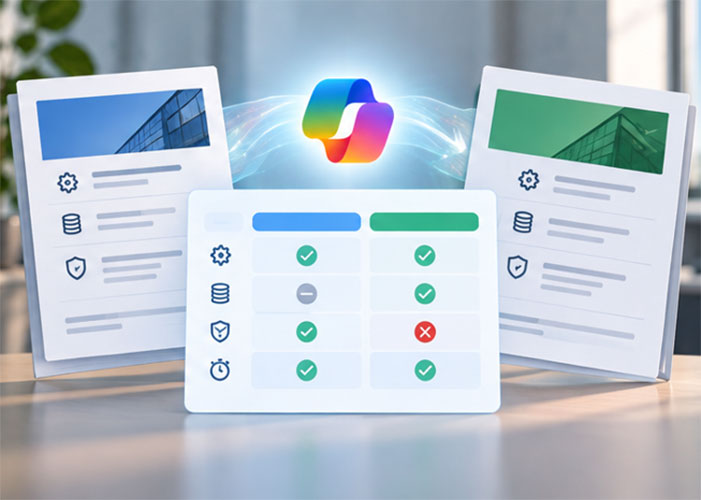
Prompt 4 | Two offers. A comparison to help you make the right decision.
Similar services, different prices and lots of details – which quote best meets our requirements?
Comparing two or more quotes often involves the laborious task of piecing together services, costs, terms and differences from various documents. Particularly with extensive quotes, it can quickly become unclear whether you are actually comparing like with like. With the right prompt, Copilot can compare the available quotes in a structured manner according to defined criteria and clearly highlight differences, similarities, as well as missing or non-comparable details.
The prompt helps you to:
Compare the scope of services, prices and terms and conditions in a structured way, highlight relevant differences, make missing details visible and present the results clearly as a basis for decision-making – without inventing information or prejudging the decision.
Handy: You decide for yourself what is important for your decision. For example, you can add criteria such as price, scope of services, contract term, SLA, delivery time or specific mandatory requirements to the prompt. This allows Copilot to tailor the comparison specifically to your requirements.
The right prompts are a good start. However, Microsoft 365 Copilot only realises its full potential when technology, data, processes and staff work together.
We’ll work with you to assess your current situation, identify relevant business use cases and show you how Copilot can be used effectively and sustainably within your organisation.

The right workshop for every stage of your Copilot journey.
Whether you’re just starting out, assessing the requirements for Microsoft 365 Copilot, looking to improve adoption, or already want to develop your own AI agents: our four workshop formats start from where your organisation is today.