Mainbanner Kensington
Kensington Logo

One connection. Endless possibilities.

Transform the way you work with Kensington.

Free yourself from cable clutter with a powerful solution designed to streamline your workflow. Experience uninterrupted productivity and discover the power of an all‑in‑one solution.

Simplify your setup with a Kensington docking station.

Connect your laptop to 4K displays, peripherals and Ethernet networking—all through a single cable. Whether you work from home or in the office, Kensington docking stations reduce desk clutter and help boost productivity. Discover how an all‑in‑one docking solution transforms your workspace with universal compatibility.

Find the right docking station in5 easy steps.

Choosing the right docking station starts with understanding your laptop’s compatibility and your feature requirements. From connection technology to display support and power‑delivery needs, a few key details will help you select the docking station that best fits your setup.

1. Identify your operating system.

Choose a port replicator that matches your laptop’s operating system—Windows or macOS—to ensure maximum compatibility and the best performance.

Icons Sistema Operativo
Icon Thunderbolt

2. Check your laptop’s connection type.

Identify whether your laptop uses USB‑C Alt Mode or Thunderbolt. Thunderbolt offers faster speeds; USB‑C Alt Mode is widely compatible.

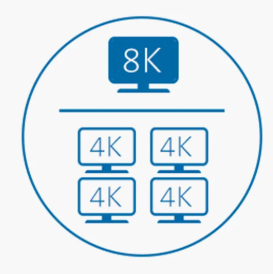
3. Decide how many monitors you need.

Consider how many monitors you will connect and the required resolution / refresh rate (for example, 4K at 60 Hz, 144 Hz for gaming).

Mac users: Native display support is limited; DisplayLink port replicators allow full multi‑monitor configurations.

Monitors Icon
Power Delivery

4. Consider Power Delivery (PD) charging.

Power Delivery charging powers your laptop through the same cable used for data and video, reducing clutter. Just make sure the port replicator provides enough power for your device to avoid slow charging or battery drain.

5. Think about your peripheral devices.

Choose a port replicator with enough ports to support accessories such as keyboards, mice, and webcams without the need for additional adapters.

Look for a mix of USB‑A and USB‑C, as well as options such as Ethernet, audio jacks, or SD card readers. The more connected your setup is, the more versatile your port replicator should be.


Icons Kensington

Want to find out more?

Have questions about our solution and products? Simply write us an e-mail. We are happy to help.