We’re happy to provide you with more information. Just get in touch!

Microsoft Surface Hub 3 –
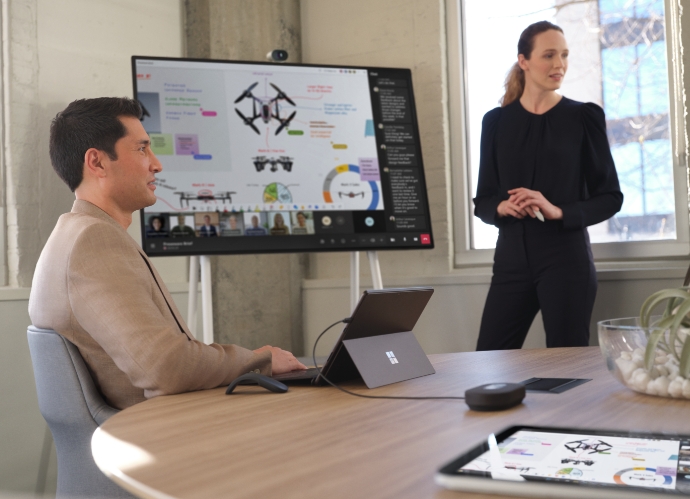
In the constantly evolving landscape of modern work, success involves effective meetings and a collaborative workforce. Microsoft’s Surface Hub 3 combines the advantages of a digital collaboration board with a platform for seamless video conferences as well as intuitive touch and pen functions that enable dynamic teamwork wherever and however your employees want to connect. Give your team the opportunity to achieve more through real-time communication and collaboration.
Unified Microsoft
Teams Rooms experience.
Surface Hub 3 is joining the Microsoft Teams Rooms family as an all-in-one Teams Rooms board running Teams Rooms on Windows. This means that with a consistent experience across all meeting spaces, now your team can effortlessly transition from one room to another, whether the space features the streamlined, touch-first interface on Surface Hub 3 or the traditional console-based Teams Rooms setup. This also means Surface Hub 3 now supports long-requested features by Hub customers—including persistent chat, the Front Row layout, and more.
Unified Microsoft
Teams Rooms experience.
Surface Hub 3 is joining the Microsoft Teams Rooms family as an all-in-one Teams Rooms board running Teams Rooms on Windows. This means that with a consistent experience across all meeting spaces, now your team can effortlessly transition from one room to another, whether the space features the streamlined, touch-first interface on Surface Hub 3 or the traditional console-based Teams Rooms setup. This also means Surface Hub 3 now supports long-requested features by Hub customers—including persistent chat, the Front Row layout, and more.
Surface Hub 3 brings a wave of new capabilities:
Smart rotation and portrait.
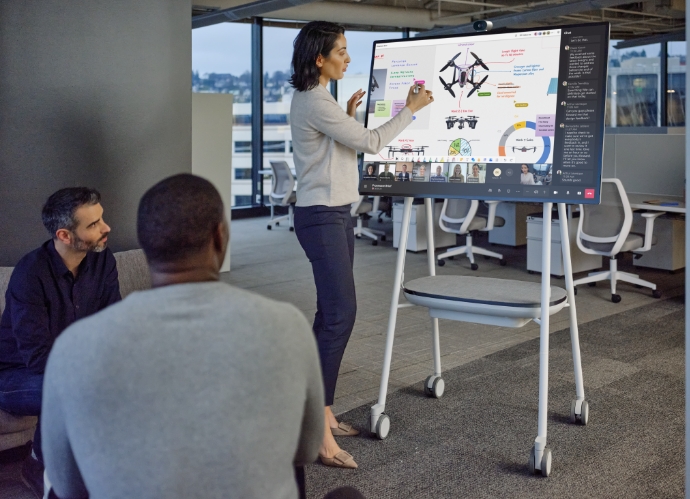
Rotate the Microsoft Surface Hub 3 50" Physically rotate Surface Hub 3 50" between Portrait or Landscape at any time to adapt the screen layout to suit your needs, whether for a natural Whiteboarding session or a more personable one-on-one call.
Mobility and versatility.
The Surface Hub 3 50" is fully mobile on a Steelcase Roam Stand, offering flexibility in deployment. Choose from a variety of stands and wall-mounting solutions from Steelcase and our Designed for Surface partners. With the APC Charge Mobile Battery, the Surface Hub 3 50" can be taken virtually anywhere in the building.
Premium design.
Surface Hub 3 prioritises inclusive meetings with clear audio and visuals. The high-resolution, 4K PixelSense display with an anti-glare coating makes content visible in all lighting conditions.
Intelligent audio.
The Surface Hub 3 50" features two microphone arrays and speaker pairings. Smart AV optimises audio based on device orientation, delivering the best stereo experience whether in Portrait or Landscape.
Seamless integration.
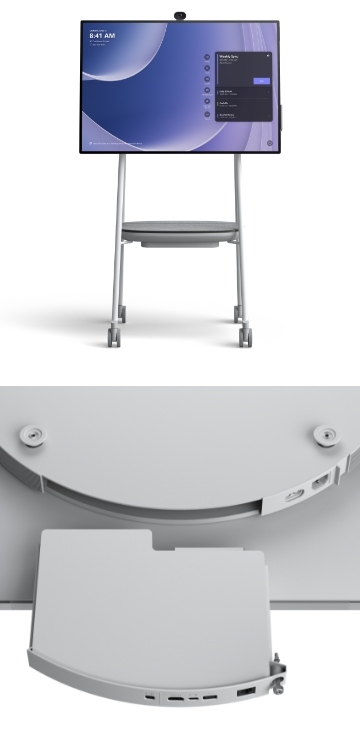
Surface Hub 3 pairs with Microsoft Teams Rooms certified peripherals in larger conference rooms, thanks to the Microsoft Teams Rooms on Windows platform. This creates a world of possibilities for different meeting spaces, from traditional setups to large classrooms, with external microphones, speakers, cameras, and more.
Enhanced collaboration.
Surface Hub 3 supports active inking with up to two Surface Hub Pens or Surface Slim pens, providing 20 points of multitouch for immersive on-device collaboration. Built-in palm rejection ensures a natural interaction experience.
Only available in german.
We use YouTube to embed video content on our website. This service may collect data on your activity. For more information, please go to the settings page.
Here are some of the features to look forward to in 2025!
Microsoft Edge
- Access to Microsoft 365 web apps (e.g. Copilot Chat, OneDrive)
- Browsing in Kiosk mode for secure meetings
- Direct teams integration for meetings (with interactive features)
- Integration available from Q3/2025
Miracast (wireless projection)
- Wireless content sharing between your device and Surface Hub
- Supports touch and pen input for interactive collaboration on the Hub
- Supports Teams meetings (integration for remote participants)
- Available at the end of 2025
Smart Rotation and Portrait.
Rotate the Microsoft Surface Hub 3 50" Physically rotate Surface Hub 3 50" between Portrait or Landscape at any time to adapt the screen layout to suit your needs, whether for a natural Whiteboarding session or a more personable one-on-one call.
Mobility and versatility.
The Surface Hub 3 50" is fully mobile on a Steelcase Roam Stand, offering flexibility in deployment. Choose from a variety of stands and wall-mounting solutions from Steelcase and our Designed for Surface partners. With the APC Charge Mobile Battery, the Surface Hub 3 50" can be taken virtually anywhere in the building.
Premium design.
Surface Hub 3 prioritises inclusive meetings with clear audio and visuals. The high-resolution, 4K PixelSense display with an anti-glare coating makes content visible in all lighting conditions.
Intelligent audio.
The Surface Hub 3 50" features two microphone arrays and speaker pairings. Smart AV optimises audio based on device orientation, delivering the best stereo experience whether in Portrait or Landscape.
Seamless integration.
Surface Hub 3 pairs with Microsoft Teams Rooms certified peripherals in larger conference rooms, thanks to the Microsoft Teams Rooms on Windows platform. This creates a world of possibilities for different meeting spaces, from traditional setups to large classrooms, with external microphones, speakers, cameras, and more.
Enhanced collaboration.
Surface Hub 3 supports active inking with up to two Surface Hub Pens or Surface Slim pens, providing 20 points of multitouch for immersive on-device collaboration. Built-in palm rejection ensures a natural interaction experience.
Here are some of the features to look forward to in 2025!
Microsoft Edge
- Access to Microsoft 365 web apps (e.g. Copilot Chat, OneDrive)
- Browsing in Kiosk mode for secure meetings
- Direct teams integration for meetings (with interactive features)
- Integration available from Q3/2025
Miracast (wireless projection)
- Wireless content sharing between your device and Surface Hub
- Supports touch and pen input for interactive collaboration on the Hub
- Supports Teams meetings (integration for remote participants)
- Available at the end of 2025
AI-powered meetings and brainstorming.
Surface Hub 3 enables customers to leverage AI more than ever to enhance hybrid meetings and collaboration sessions. For example, Cloud IntelliFrame allows remote attendees to see in-person Surface Hub users more clearly through a smart video feed that separates participants into individual boxes and helps remove distractions.
Video segmentation with a unified background in Front Row uses AI to foster inclusion by removing backgrounds and adjusting video sizes, so remote attendees are literally on the same level with each other. And in the future, Surface Hub 3 will take brainstorming to a new level with AI-powered features from Microsoft Copilot. Copilot in Whiteboard on Surface Hub will help generate and organise ideas efficiently, freeing up time for your team to focus on creative ideation. Stay tuned for more details.
Streamlined IT management.
As an IT professional, managing devices in your organisation can be a complex task. Surface Hub 3 reduces IT complexity with a streamlined management experience through Microsoft Teams admin center and the new Microsoft Teams Rooms Pro Management Portal. This allows you to manage all devices seamlessly, making your job easier and ensuring a hassle-free experience for your users. As a part of the Microsoft ecosystem, the Surface Hub 3’s integrated security from chip to cloud provides security for your employees and company.
Easy transition and support.
Surface Hub 2S devices already on the market can be updated with the Surface Hub 3 package to provide the full Surface Hub 3 experience. From next year, software migration will be available for Surface Hub 2S devices to migrate to Microsoft Teams Rooms on Windows.*
All in all, the Surface Hub 3 with its groundbreaking features and MTR integration is an exciting evolution in the world of conference technology that will redefine the way teams collaborate. This innovative device will take your company and organisations to the next level in terms of productivity and efficiency.
Order now to upgrade your conference rooms
and make them fit for the future!
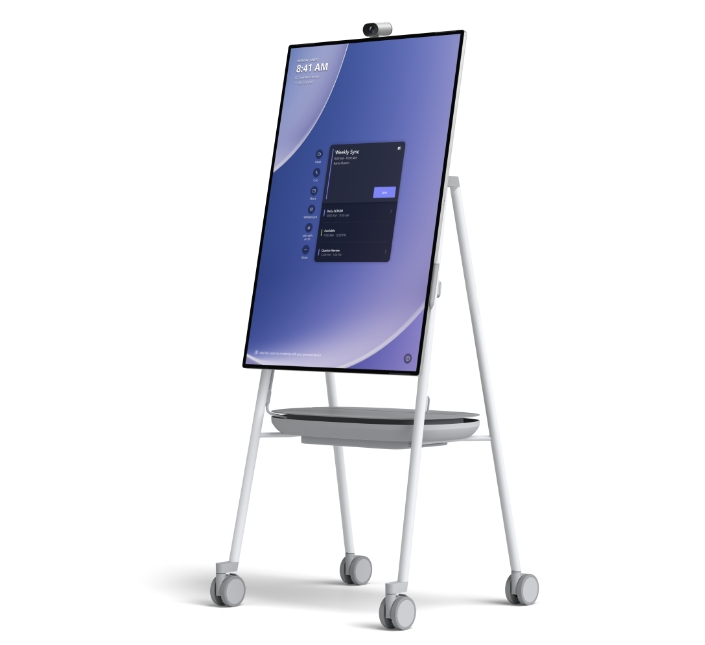
Surface Hub 3 50".
- 3:2 aspect ratio
- Smart Rotation and Portrait
- Highest screen resolution in its class
- Vibrant, anti-glare 4K+ display
- 136-degree HFOV AI-powered Surface Hub Smart Camera
- Far-field, full-band 8-element microphone array
- Active dual-pen inking with Surface Hub Pen is supported
Surface Hub 3 85".
- 16:9 aspect ratio
- 20-point multi-touch
- Vibrant, anti-glare 4K+ display
- 136-degree HFOV AI-powered Surface Hub Smart Camera
- Far-field, full-band 8-element microphone array
- Active dual-pen inking with two Surface Hub Pens
End of for support for Windows 10.
- On 14 October 2025, support will come to an end for Windows 10 Team Edition running on Surface Hub v1 and 2S, That means no more security updates and the Microsoft Teams app will no longer be available.
- We recommend checking your device and upgrading to Hub 3.
Enhance your Surface with the perfect accessories.
Would you like to find out more about the Surface Hub3 and the new Surface product portfolio?
Your contact person will be happy to advise you.
Get in touch for a demo in one of our system houses and experience the benefits of a Microsoft Surface Hub 3 today.
If you’d like to know more about how we handle your personal data, please read our Privacy Policy.
* For customers who wish to continue running Windows 10 Team Edition on their Surface Hub 2S, operating system support will end on 14 October 2025.