No NPU? No future! How AI is redefiningIT procurement.
Author: Niklas Bayer
The client market has seen hardly any real change over the past decade, which meant the risk of making strategic missteps remained low. That situation is now shifting. New AI capabilities, Copilot+ PCs and NPUs are reshaping the market—a shift that remains subtle today but is gaining momentum fast. This article explores why your IT procurement choices now carry greater strategic weight and how they will shape your organisation’s future performance.
The real shifts are happening in places you wouldn’t immediately look. Not in design, form factor or CPU specifications. Even the benchmarks show little out of the ordinary. What stands out instead is a wave of new terminology across the market—NPU, Copilot+ PC, AI‑readiness and more. It is no surprise that many IT decision-makers are asking what these concepts actually offer and whether there is genuine demand for devices built around them. The reality is complex—and understanding it matters.
Feel free to get in touch. Our expert Florian Vees looks forward to hearing from you.
Why a CPU and GPU are no longer enough – And why you now need an NPU.
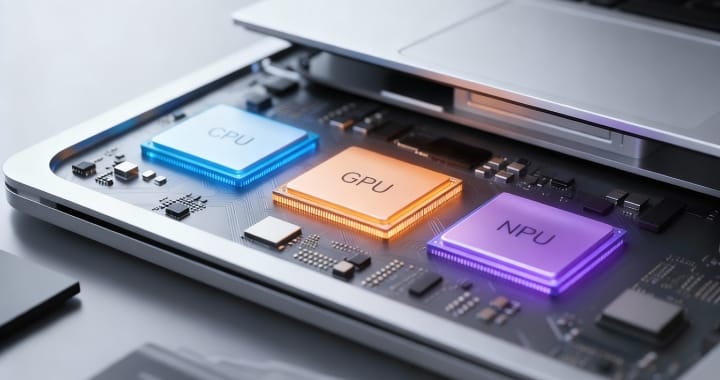
To understand what is changing, it helps to take a brief look under the bonnet of modern clients. Something significant has happened there. Alongside the familiar CPU and GPU, a third component has joined the line‑up—the NPU (Neural Processing Unit). Its primary role is to run AI functions locally on the device.
Modern Copilot+ devices come equipped with an NPU as standard. They are not designed to provide a “better Copilot”, but to meet the technical minimum required—one element of which is an NPU capable of at least 40 TOPS. The distribution of tasks across the three processing units is, in principle, easy to understand:
CPU – The all‑rounder
Runs applications, processes logic and coordinates tasks. Flexible and reliable, yet not specialised.
GPU – The powerhouse
Handles parallel workloads such as video, graphics and rendering. Fast, but demanding in terms of power consumption.
NPU – The AI specialist
Manages small but constantly active AI processes, from pattern recognition to speech processing and image analysis. Efficient and energy‑saving.
In short: the CPU computes → the GPU renders → the NPU interprets
What these three components offer today—and how they will evolve tomorrow.
Unpacking a new Copilot+ device today reveals very little at first glance. Windows starts as usual, and Teams, Outlook and the Office applications run just as they always have. A quick look at Task Manager shows the NPU running at only around two percent on average, which makes it seem almost idle. It may prompt the question of whether the component is even needed. That impression is deceptive. The NPU is not intended to operate at full capacity today; it is designed for the workloads that will be standard in twelve to eighteen months. Microsoft is already introducing a broad range of new AI features that will become native parts of Windows, Office and Teams:
- Live transcription in meetings. Local. GDPR-compliant. Continuously active.
- Background blur, eye‑contact correction, noise suppression – All in parallel, not sequentially.
- Windows Recall and Screen Understanding – Where they can be implemented in a privacy‑compliant way.
- Real‑time phishing detection. Credential protection. Screen watermarking.
- Context‑based Copilot suggestions – Processed on the device, not in the cloud.
Microsoft is not the only one driving this forward. Through DirectML—the API that allows developers to connect their applications to the NPU—more and more software partners are adding new AI capabilities to their products. Applications such as McAfee, Adobe Photoshop, Adobe Premiere Pro, CapCut and OBS Studio already make use of the NPU today. The infrastructure is in place and development is moving steadily. Much of this functionality already exists, some still in pilot phases, some widely available, but not yet fully activated or in its final, expanded form.
Why is that? Microsoft is waiting until enough devices with an NPU are available on the market. The software is effectively waiting for the hardware. Organisations that purchase devices without an NPU are relying on the CPU and GPU to absorb these workloads. That is possible, although neither efficient nor energy‑saving. Most importantly, it comes with noticeable performance losses.

Why traditional procurement thinking needs to evolve.
For decades, procurement revolved around a single question: “What level of performance do we need today?” Buyers could also rely on the fact that even entry‑level models offered more power than the devices purchased years earlier and still in use. Those who wanted additional headroom simply opted for a more powerful variant, which provided a reliable performance buffer for the years ahead.
Experts now agree that this mindset will not hold for the upcoming device cycles. The real question has become whether the devices we purchase today will be capable of supporting the software demands of the coming years. Choosing Copilot+ devices is not a luxury in this context, but a form of proactive risk management.
The facts are clear:
AI processes operate continuously.
AI is no longer something you switch on and off; it becomes part of the operating system.
Devices without an NPU are at a disadvantage.
The CPU and GPU have to compensate—at the expense of performance, battery life and the overall user experience.
The gap is growing exponentially.
The more AI features are rolled out, the greater the difference becomes between NPU‑equipped devices and traditional clients.
Organisations purchasing devices today are not investing for 2026 alone, but for 2027, 2028 and potentially the years beyond. Those planning without an NPU risk a scenario the client market has not seen in more than a decade—devices that may fail to reach their intended lifecycle because they can no longer keep up with the software demands.
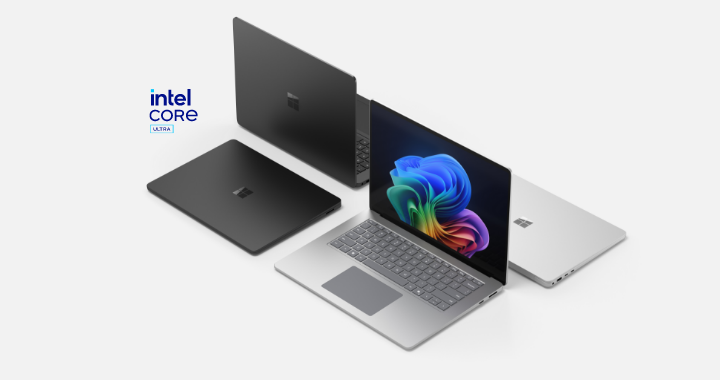
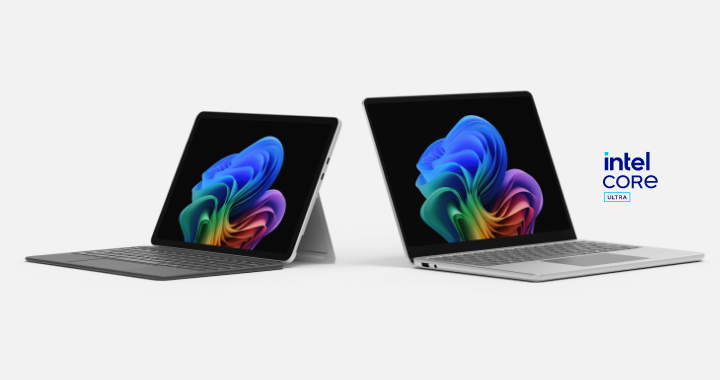
Why should customers choose a Surface Copilot+ PC with an Intel® Core™ Ultra processor?
Powerful and AI‑accelerated: Intel® Core™ Ultra combines CPU, GPU and NPU performance for fast, local AI features such as Recall, Live Captions and Copilot.
Long battery life: An efficient architecture that lasts for a full working day without charging.
Robust security: Microsoft Pluton and Secured‑core PC deliver maximum enterprise‑grade protection.
Complete compatibility: Native x86 support ensures trouble‑free use of business applications.
Premium experience: Signature Surface design, touch, pen and a dedicated Copilot key for instant access to AI features.
Conclusion – Planning for tomorrow starts today.
It may sound like an obvious statement, yet it remains our clear recommendation for anyone procuring new clients right now. The good news is that careful planning today creates valuable flexibility for the years ahead. Those who delay or cut corners, however, risk paying twice later—through reduced performance, lower user satisfaction and, in the worst case, premature hardware replacement. Forward‑looking decisions deliver benefits on multiple levels.
Whitepaper: Well prepared for budget negotiations on AI‑enabled devices.
For decision‑makers who want a comprehensive overview and solid arguments for upcoming budget discussions, we have compiled key information on Copilot+ PCs, NPUs and the current market shift in a dedicated whitepaper. Download your copy now.