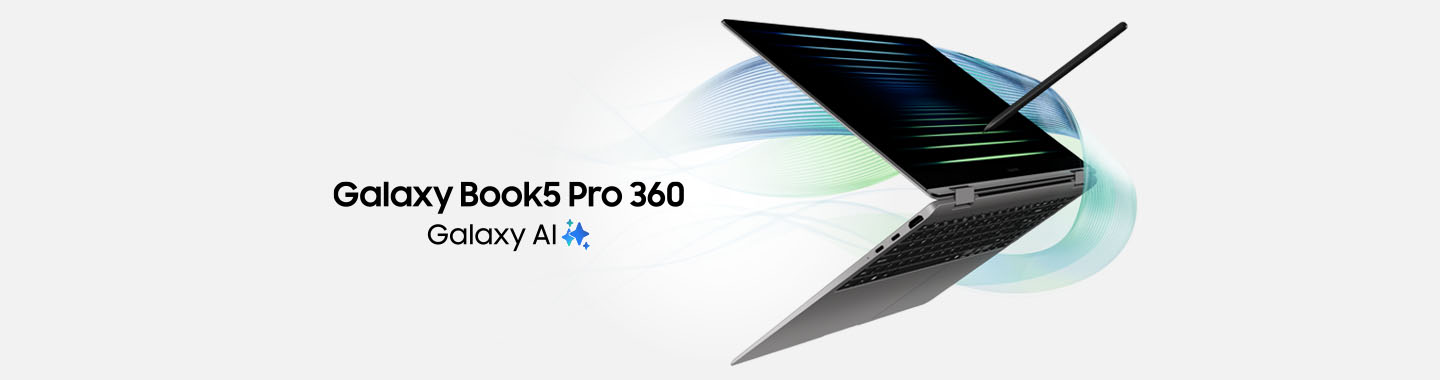


Experience the power of AI.
Looking to use AI to take your working day to the next level? With the Galaxy Book5 Pro, you can work more simply and productively. Make the most of AI to research, translate, structure and summarise texts and use AI Select² to search for information just like you would on your Galaxy phone. Prefer to work outdoors? That’s not a problem with the Galaxy Book5 Pro. It slips into any bag thanks to its slim and lightweight aluminium chassis plus you’ll be able to immerse yourself in your content even in bright sunlight with the vivid Dynamic AMOLED 2X touchscreen. Optimised for AI applications, the Intel® Core™ Ultra processor helps you quickly and efficiently turn your ideas into reality. And there is no need to worry about running out of juice as the long-life battery will give you plenty of power for those intensive work, streaming and gaming sessions. If you want to use the data and features you know and love from your other compatible Galaxy devices on your Book, all you need is one click to link everything to your personal ecosystem while Storage Share3 allows you to access saved content from any device.
- Powered by AI – Intel® Core™ Ultra processor for blazing-fast AI workloads
- Your all-day companion – All-day battery
- For vivid creativity – Dynamic AMOLED 2X display with touchscreen
- Uncompromising productivity – Smart syncing with the Galaxy ecosystem
1 An internet connection, and a Samsung or Google Account login may be required to use certain AI features. Galaxy AI is available in Germany from the age of 16. Availability and functionality may vary by language. Certain languages may require language pack download. Accuracy of results is not guaranteed.
2 Results may vary depending on visual matches. Accuracy of results is not guaranteed. Requires an internet connection and Samsung Account login. Download and installation may be required when launching the app for the first time. Service availability may vary by country, language or device model. Availability of supported languages may vary. Certain languages may require language pack download.
3 Each device must be must be signed in to your Samsung account and must have both Wi-Fi and Bluetooth turned on. Requires updated Galaxy phones and tablets with One UI 7 or above and kernel version 5.15 or above and Galaxy Book2 or above (Intel) or Galaxy Book4 or above (ARM). Feature availability may vary by region and device model.
Need to get a lot done in a short time, yet remain as flexible as possible? Then look no further than the Galaxy Book5 Pro 360. It combines a portable 2-in-1 design with versatile AI features for smart and productive working in the office, at appointments and in your free time. Benefit from two devices in one and transform your notebook into a tablet in an instant. You can even take your work outdoors thanks to the vivid Dynamic AMOLED 2X touchscreen that allows you to view the display even in bright sunshine. Looking to make your working day even easier? Try out the integrated AI features to search for information, and summarise and translate texts. Speed through routine tasks with the Galaxy Book5 Pro 360. The AI-powered Intel® Core™ Ultra processor and long-life battery allow you to multi-task with ease to power on through your day, plus you can easily link your Galaxy Book5 Pro 360 with your other Galaxy devices for even more convenience. It’s so simple! Security is as important to you as it is to us? Samsung Knox protects your privacy from attacks and security breaches.
Highlights:
- 2-in-1 design – Notebook and tablet in one thanks to the 360° dynamic AMOLED 2X touch screen
- Powered by AI – Intel® Core™ Ultra processor for blazing-fast AI workloads
- Your all-day companion – Up to 25 hours of battery life1
- For prolific writers – S Pen for convenient writing, sketching and drawing
- Uncompromising productivity – Smart syncing with the Galaxy ecosystem
1 Up to 25 hours of video playback based on internal lab tests. Actual battery life may vary depending on network environment, user behaviour and other factors.
Now you can leverage the power of AI in your day-to-day work. The Galaxy Book5 360 combines versatile AI features with a whole heap of performance and flexibility. The folding display allows you to use your Book like a notebook or tablet while the slim aluminium housing is perfectly light. No matter if you’re researching, live translating, organising or summarising texts, you’ll breeze through your routine tasks thanks to AI support2. With AI Select3 you can search for information as easily as you can on your Galaxy phone. Simply circle an object and view the results on the large AMOLED touchscreen, even in bright sunlight. Immerse yourself in your projects and bring your ideas to life with ease. The advanced Intel® Core™ Ultra processor has been specifically optimised for AI applications, supercharging your day, and to ensure you can work and game uninterrupted, the powerful battery just keeps on going and going1. And that’s not all. Your compatible Galaxy devices are just a click away. Link them with your Galaxy Book5 360 to seamlessly use data and features across devices thanks to Storage Share4.
Highlights:
- 2-in-1 design – Notebook and tablet in one thanks to the 360° AMOLED touchscreen
- Powered by AI – Intel® Core™ Ultra processor for blazing-fast AI workloads
- Your all-day companion – Up to 31 hours of battery life1
- For prolific writers – S Pen for convenient writing, sketching and drawing
- Uncompromising productivity – Smart syncing with the Galaxy ecosystem
1 Up to 31 hours of video playback based on internal lab tests. Actual battery life may vary depending on network environment, user behaviour and other factors.
2 An internet connection, and a Samsung or Google Account login may be required to use certain AI features. Galaxy AI is available in Germany from the age of 16. Availability and functionality may vary by language. Certain languages may require language pack download. Accuracy of results is not guaranteed.
3 Results may vary depending on visual matches. Accuracy of results is not guaranteed. Requires an internet connection and Samsung Account login. Download and installation may be required when launching the app for the first time. Service availability may vary by country, language or device model. Availability of supported languages may vary. Certain languages may require language pack download.
4 Each device must be must be signed in to your Samsung account and must have both Wi-Fi and Bluetooth turned on. Requires updated Galaxy phones and tablets with One UI 7 or above and kernel version 5.15 or above and Galaxy Book2 or above (Intel) or Galaxy Book4 or above (ARM). Feature availability may vary by region and device model.

3 Results may vary depending on visual matches. Accuracy of results is not guaranteed. Requires an internet connection and Samsung Account login. Download and installation may be required when launching the app for the first time. Service availability may vary by country, language or device model. Availability of supported languages may vary. Certain languages may require language pack download.
5 Galaxy AI features for the Galaxy S24 series, Galaxy S23 series, Galaxy S22 series, Galaxy Z Flip4 and later, Galaxy Z Fold4 and later, Galaxy Tab S8 series, Galaxy Tab S9 series are available for One UI 6.1 or later versions. The availability of some AI features may vary depending on device model.
6 The Galaxy phone and PC must be connected to each other through “Link to Windows” and “Microsoft Phone Link” and logged in to the same Microsoft account. Link to Windows is preinstalled on select Samsung Galaxy devices. Tablets require One UI 5.1.1 or later, PCs require Windows 10 or later. It is recommended to connect the mobile device and the PC to the same Wi-Fi network. Certain mobile apps can limit content sharing to other screens. Features may vary by device. Tablets do not have call/messaging features. “Recent websites” is only available when using Samsung Internet app on Samsung Galaxy Smartphones with One UI 3.1.1 or later (Samsung Galaxy S, Note, Z Fold, Z Flip), tablets with One UI 5.1.1 or later (Tab S models only, not Tab FE or Tab Lite models) and Windows- PCs with Windows 10 20H1 or later. Requires the latest updates for Microsoft Phone Link/Link to Windows/Samsung Internet.
7 Certain Copilot+ PC features will not be available from launch. Introduction depends on Microsoft‘s release plan and will take place as part of an update. More information: https://aka.ms/copilotpluspcs