



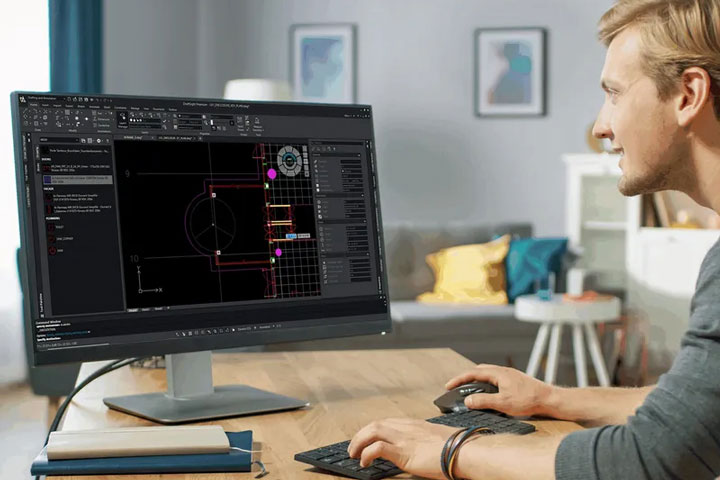



Man working on a 2D CAD software
DraftSight logo

CAD software for 2D drafting and 3D design with flexible licensing options.

Contact us today.

Get in touch now and request your personal quote.

What is DraftSight used for?

DraftSight – 2D drafting and 3D design.

DraftSight supports efficient design and production workflows across a wide range of industries. Developed by Dassault Systèmes, this proven 2D CAD solution lets you create, view and edit all types of DWG and DXF files with ease. You benefit from powerful tools, flexible licensing and an intuitive interface that fits naturally into your workflow.

Ideal for

  • Architecture and construction
  • Education
  • Research
  • Mechanical and plant engineering
  • Tool and mould making

Reasons to choose DraftSight.

Managed Services Icon

Productivity and efficiency.

Powerful CAD capabilities paired with an intuitive interface that adapts to the way you work helping you get up to speed quickly and stay productive with ease.

Flexibility Icon

Flexibility.

A flexible range of solutions and licensing models, including network licences and perpetual options.

Governance Icon

Collaboration.

DraftSight supports a wide range of file formats such as DWG and DXF. With seamless connectivity to the 3DEXPERIENCE platform, you always stay up to date—even when working on the move.

Man working with CAD software

The future of design is collaborative.

3DEXPERIENCE DraftSight.

The 3DEXPERIENCE platform unites people, data and information in one cloud‑based product development environment. With 3DEXPERIENCE DraftSight, you and your extended network of contributors—from customers to suppliers—can access all or selected project data anytime and from anywhere to enable faster, better‑informed decisions and ensure every stakeholder stays up to date.

Request consultation

DraftSight application areas.

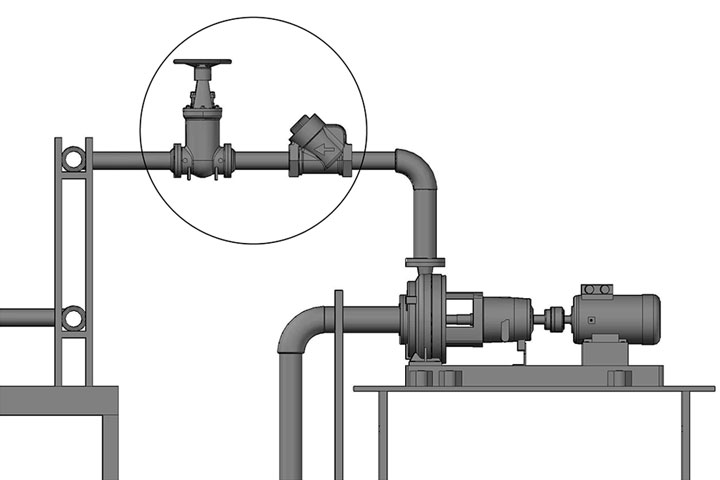
industrial design engineering designed with 2D CAD

2D CAD in industrial design and engineering.

Industrial design brings creative thinking together with technical and scientific precision. Designers and engineers need to work imaginatively, collaboratively and analytically. Whether they are developing vehicles, consumer products, industrial systems or machinery, they rely on software that offers flexibility, supports innovation and provides seamless access to previous designs, templates and drawings.

DraftSight supports you with:

  • Creating and developing product concepts
  • Improving complex processes and systems
  • Visualising and presenting design work
  • Producing photorealistic images and 3D models
  • Preparing instructions for manufacturing the final product
  • Enabling collaboration across teams and departments
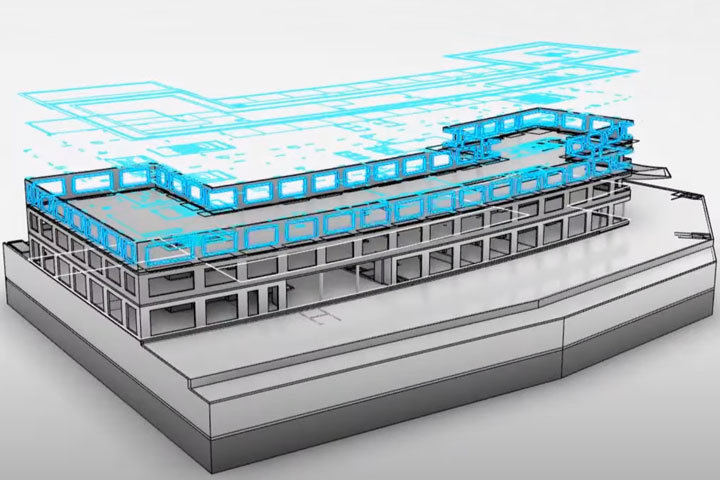
bridge designed with 2D CAD

2D CAD for architecture and construction.

Architectural work balances creativity with precise, technically sound planning. With DraftSight 2D CAD, you can develop high‑quality concepts and drawings while staying flexible enough to respond to changing project requirements as it gives you the clarity and control you need to bring your architectural ideas to life.

DraftSight supports you with:

  • Developing new project ideas and concepts
  • Evaluating design alternatives
  • Viewing, creating and editing DWG files
  • Producing sections, elevations, floor plans, renderings and more
  • Creating drawings, annotations and dimensions with ease
  • Communicating effectively with customers and suppliers
  • Connecting people and data across teams and around the world
building management designed with 2D CAD

2D CAD in facility management.

In facility management, practical workflows and precision both serve a common goal—greater efficiency. With 2D CAD, hand‑drawn plans are a thing of the past as DraftSight ensures you always have the latest drawing to hand, allowing you to work seamlessly with blueprints, floor plans and legacy documentation.

DraftSight supports you with:

  • Creating, viewing and publishing floor plans, construction drawings, plant layouts, electrical schematics and more
  • Planning and coordinating the installation and maintenance of equipment
  • Managing maintenance tasks for machinery and systems
  • Visualising and optimising furniture and workspace layouts
  • Adjusting system layouts such as HVAC, lifts and water filtration
  • Exporting bills of materials and parts lists to manage inventory requirements
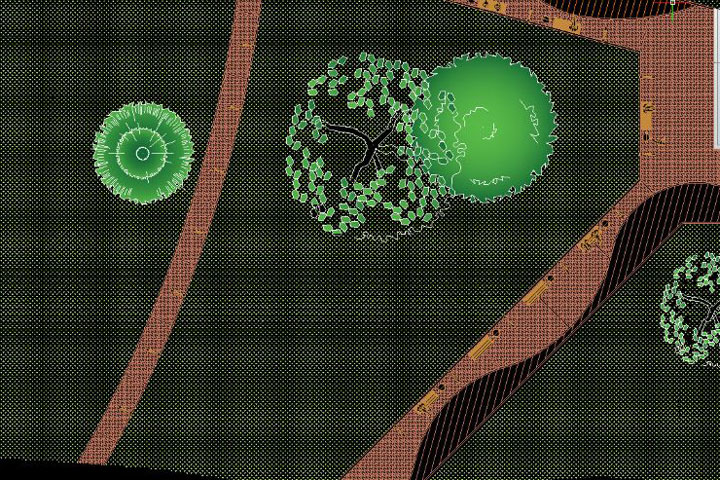
landscape designed with 2D CAD

2D CAD for landscape design.

Demand for landscape designers continues to grow as commercial and residential property owners look to enhance the value of their properties. DraftSight brings your ideas to life and helps clients, surveyors, engineers and contractors clearly visualise the concepts you have in mind.

DraftSight supports you with:

  • Visualising plants, trees, outdoor furniture, water features and more
  • Planning grading and drainage
  • Creating layouts and determining required materials
  • Producing and publishing construction details
  • Importing and editing images, models, PDFs and CAD drawings

The significantly lower price was one of the reasons we moved from AutoCAD to DraftSight, but our main motivation was the reliable way SOLIDWORKS and DWG files work together through SOLIDWORKS PDM.

Norbert Tengler, Development Engineer, CODAN pvb Critical Care GmbH


First-class service and support included.

Benefit from our many years of experience, our comprehensive service offering and the outstanding support provided by our technical team.

Optimal Icon

Certified training provider.

We offer both online and on‑demand training programmes.

Service Icon

Excellent customer support.

Our experienced technical team delivers first‑class customer assistance.

Get to know us personally Icon

Innovative PLM consultancy.

We help our customers unlock their full potential so they can enhance performance, drive innovation and stay competitive.

Experienced Icon

Official SOLIDWORKS partner.

For more than 30 years, we have continuously built deep expertise across a wide range of industries and technologies.

Frequently asked questions.

What is DraftSight?
How does DraftSight differ from AutoCAD?
Where is DraftSight used?
How can I learn DraftSight?
What is DraftSight?

DraftSight is a professional, versatile 2D CAD solution that is ideal for everyday use in product development not least thanks to its intuitive interface.

How does DraftSight differ from AutoCAD?

DraftSight and AutoCAD are both CAD applications, but they differ in fundamental ways—from cost and functionality to integration options and typical use cases. AutoCAD, developed by Autodesk, offers an extensive feature set and integrates closely with other Autodesk products, making it a common choice for larger organisations. DraftSight, developed by Dassault Systèmes, is more cost‑effective, well suited to SMEs, and connects seamlessly with the 3DEXPERIENCE platform.

Where is DraftSight used?

DraftSight is used across a wide range of industries and by organisations of all sizes—including mechanical and plant engineering, architecture and many manufacturing environments.

How can I learn DraftSight?

DraftSight’s intuitive interface makes it easy to learn, and our training courses ensure you can get up to speed quickly.

Questions? Get in touch!

Your satisfaction is our top priority. If you need information, have questions or want to discuss a specific request, feel free to get in touch with us.

*Required field
If you’d like to know more about how we handle your personal data, please read our Privacy Policy.