
Jabra PanaCast 50 Room System.
Professional meetings at the touch of a button.
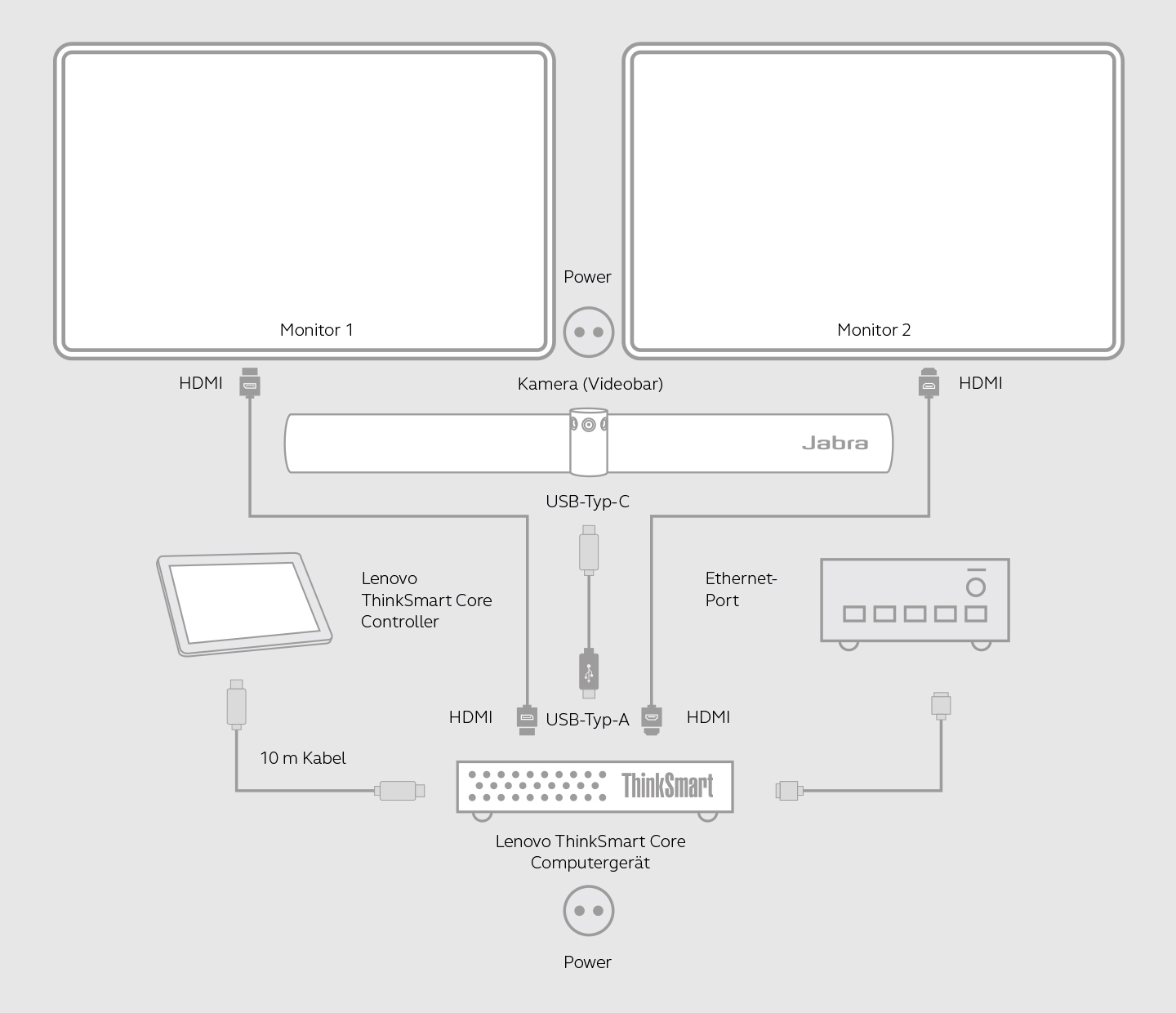
Enter the meeting room, get up and running in a snap and start sharing content—as easily as getting your first coffee of the morning. And just like with coffee, here it’s all about the right blend. The Jabra PanaCast 50 Room System is made up of the PanaCast 50 video solution, the Lenovo ThinkSmart Core and Controller with Microsoft Teams Rooms or Zoom Rooms pre-installed that are all perfectly tuned to each other.
Microsoft Teams Rooms
and Zoom Rooms.
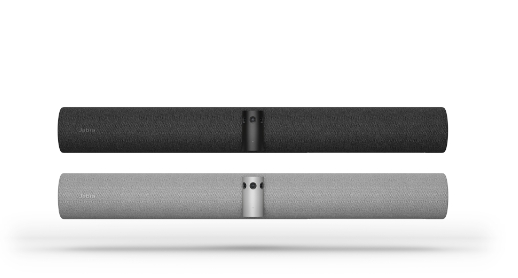
PanaCast 50, AC adapter,
wall bracket,
USB 3.0, 2 m USB-A
to USB-C cable
8201-231 (Grey)/
8200-231 (Black)
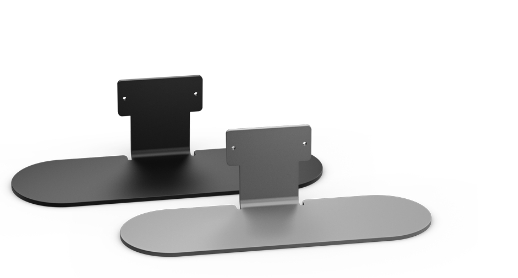
Desk mount (stand) for Jabra PanaCast 50.
SKU
14207-70 (Black)/
14207-75 (Grey)
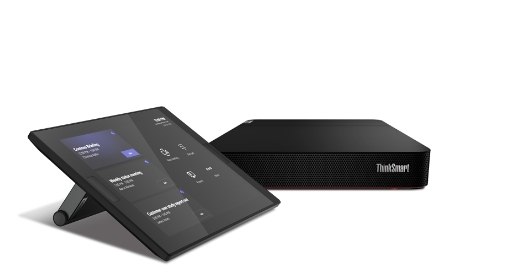
Core + Controller.
Video conferencing kit (touchscreen Controller, Raven Black computing device with red base and Microsoft Teams Rooms pre-installed), incl. 1-year Lenovo Premier Support (deploy and maintain)
SKU
11LR0005GE
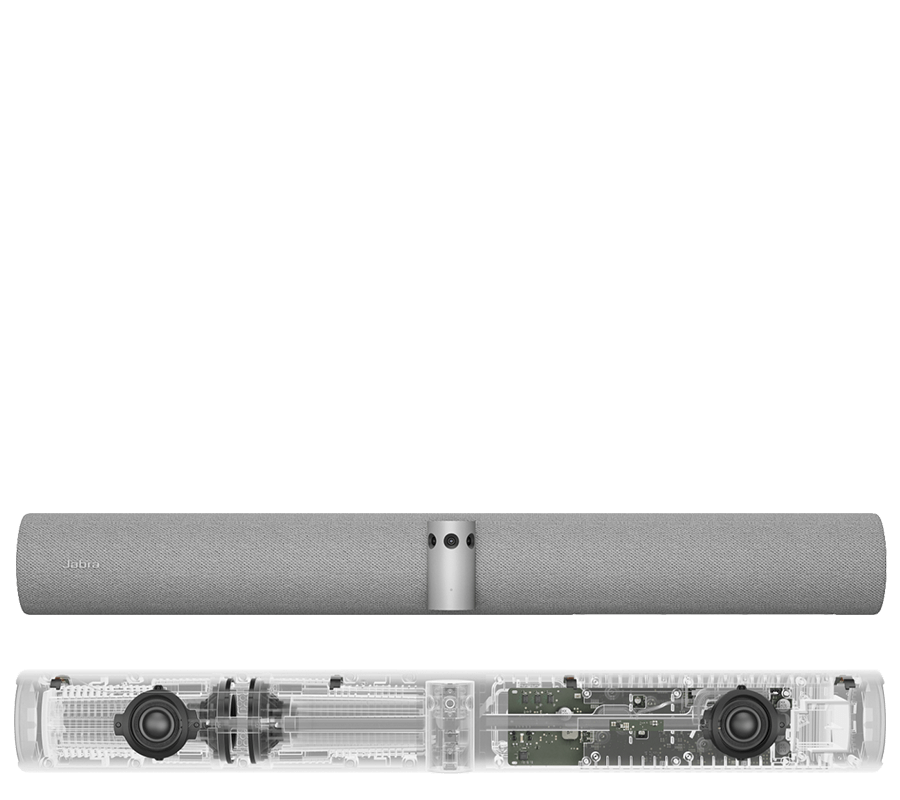
Four powerful speakers specially developed by Jabra—2 x 50 mm woofers and 2 x 20 mm tweeters—produce first-class HD stereo sound throughout the whole room. Jabra has also added the speakers into a zero-vibration setup, while the innovative full duplex technology helps make conversations sound much more natural.
- Successful meetings that involve all participants
- Thanks to the unique 180° field of view, all participants stay in the picture(s)
- Lively and natural meetings thanks to Virtual Director and Intelligent Zoom. This ensures that the active speaker or all participants in the room are in the picture1
- Impressive sound from the world market leader in professional audio technology
- Room Usage Insights generates anonymized data on the room occupancy of your meeting rooms
- Safety Capacity notifies the people in the room and those responsible as soon as the permitted number of people in the meeting room is exceeded
- Real-time whiteboard sharing - without an additional camera
- Easy installation with a choice of wall mounting, table stand or screen mount (VESA)2
1 Choose between Virtual Director and intelligent zoom via Jabra Direct and Jabra Xpress
2 Desk stand and screen mount sold separately
- The kit comes with the powerful and secure Lenovo ThinkSmart Core computing device.
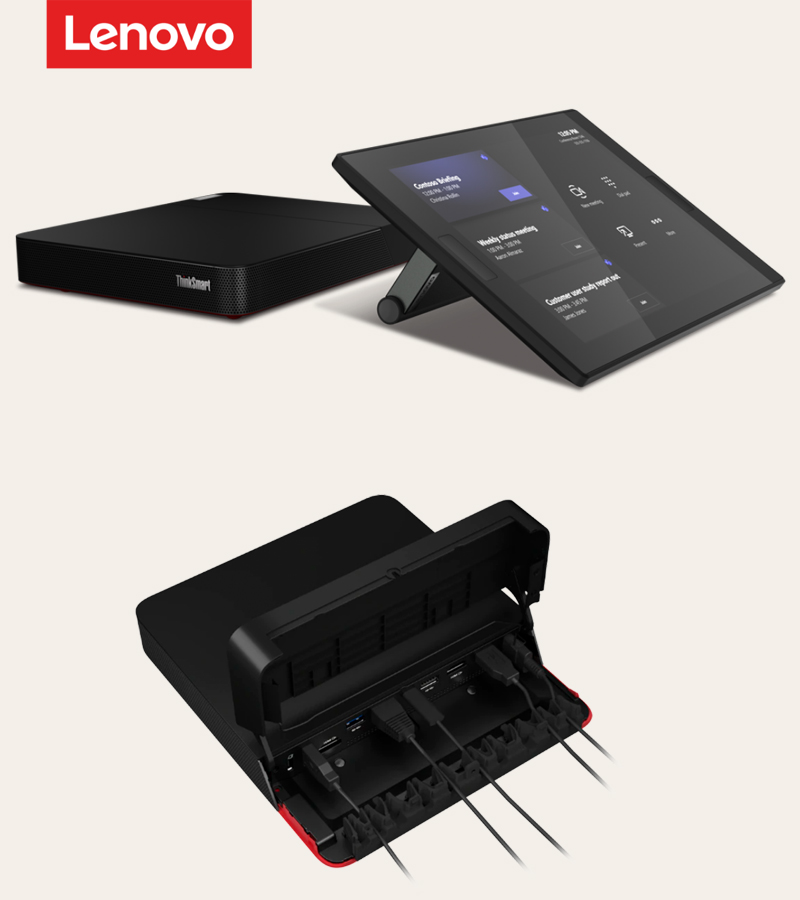
- The Lenovo ThinkSmart Controller provides all-round control with Microsoft Teams Rooms’ proven user interface that on-site employees can use to easily connect with their remote colleagues.
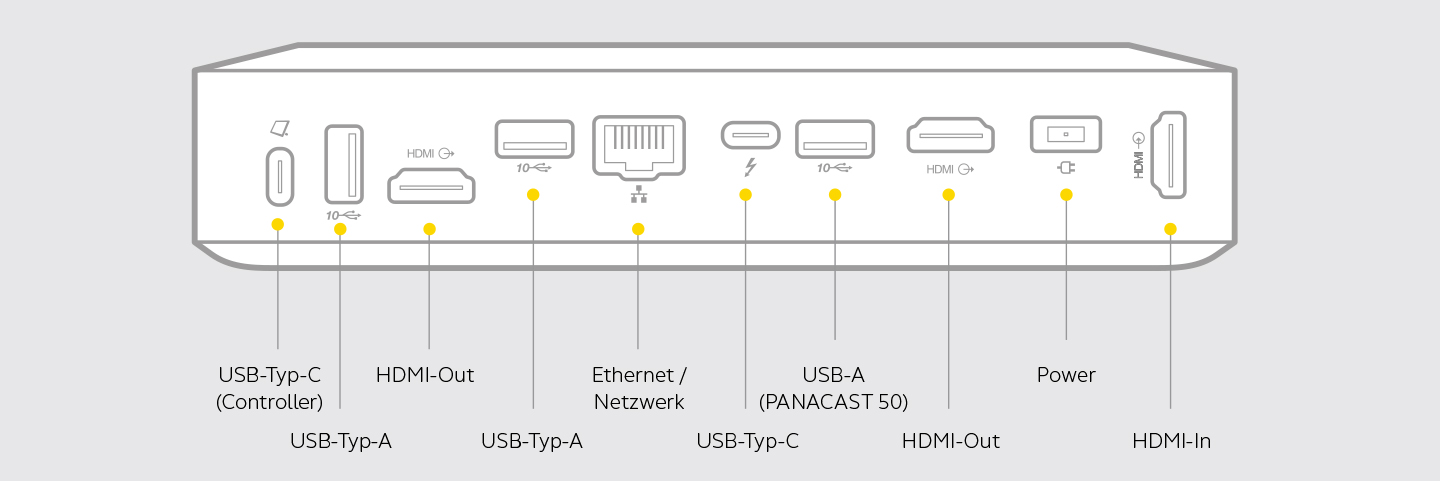
- The ThinkSmart Core’s integrated cable management protects connections and keeps everything clean and tidy.
Integrating smart collaboration technology in every size room has never been easier. At the heart of this specially designed solution is the Lenovo ThinkSmart Core—a computing device with 11th Gen. Intel® Core™ vPro™ processors and Intel® Iris® Xe graphics for optimum business productivity and collaboration. The Lenovo ThinkSmart Core is certified for Microsoft Teams Rooms, which is pre-installed so that employees can seamlessly connect with one another, share content and collaborate wherever they are. The Lenovo ThinkSmart Core comes with 1-year Smart Collaboration Professional Services for deployment and maintenance.1 and also provides for location-agnostic management via Lenovo’s specially developed, pre-installed ThinkSmart Manager Software.2
The Jabra + Lenovo bundle includes the PanaCast 50, Lenovo ThinkSmart Core and a Lenovo ThinkSmart Controller. Using the 25.7 cm (10.1") 10-point touchscreen, users can start and manage meetings, share content, work face-to-face and effortlessly collaborate. You can be sure of crystal-clarity thanks to the Controller’s anti-glare and fingerprint-resistant coating.
1 Lenovo ThinkSmart Manager Premium is included for one year with the purchase of a Lenovo ThinkSmart Core.
2 Lenovo ThinkSmart Manager is pre-installed on all ThinkSmart Core devices and available as Basic or Premium. You may continue to use the service after 12 months for an additional fee.
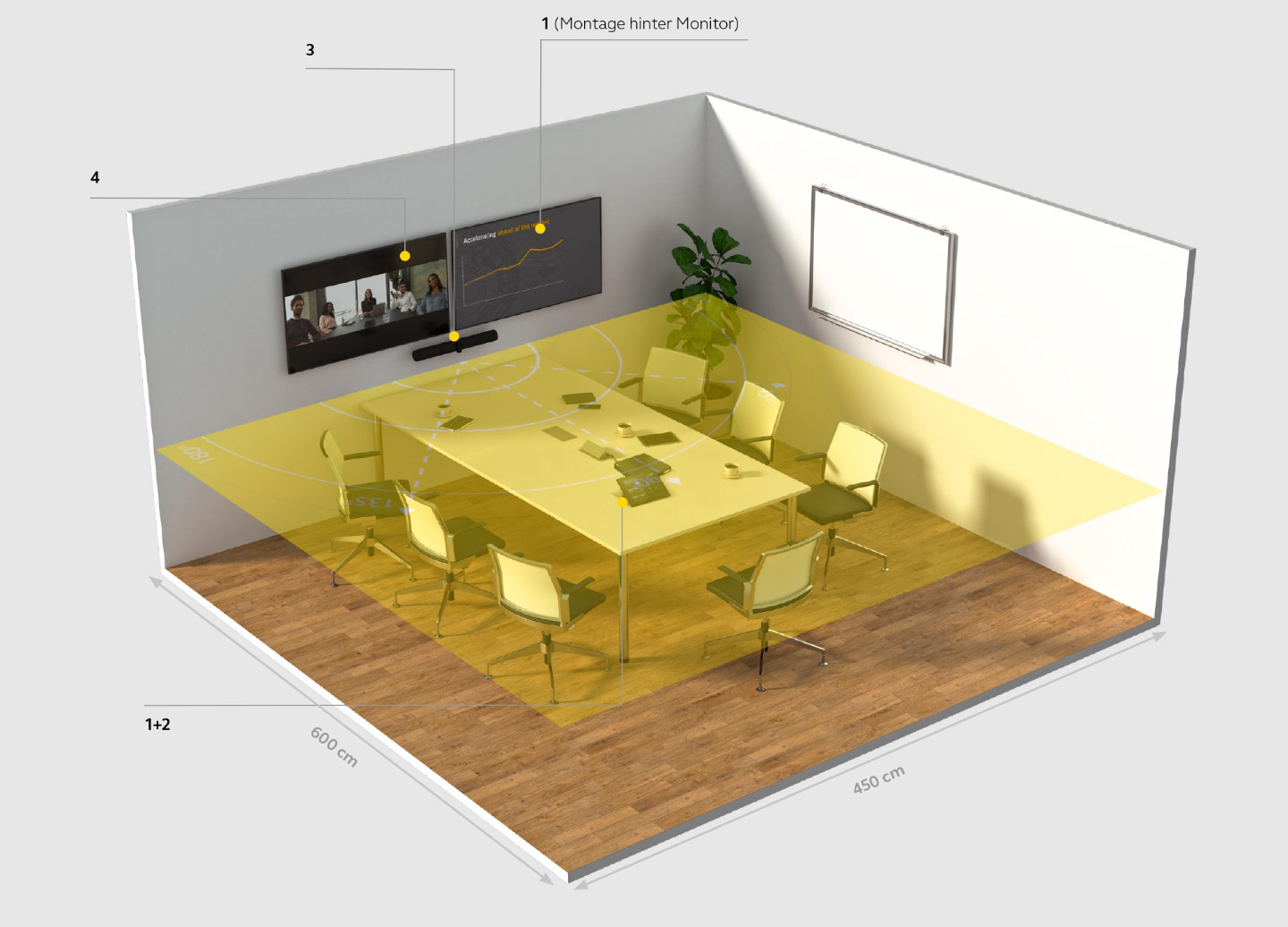
Jabra PanaCast 50 can be used in rooms of all sizes. The image below shows how you can best place devices to give all participants an optimum video experience. Two screens are recommended for large conference rooms.
* Focus/huddle rooms 3 x 3 m, 3 – 5 people
Small meeting rooms 3 x 4.5 m, 5 – 7 people
Medium-sized meeting rooms 4.5 x 6 m, 10 – 12 people
|
1
+
2
|
Place the Lenovo ThinkSmart Core + Controller with Microsoft Teams Rooms on the table or mount the device behind the monitor or under the table to create a flexible and clearly arranged meeting space. |
|
|
|
|
3
|
Jabra PanaCast 50 placed under the screen: 90 - 110 cm (ideally 100 cm) from the floor.
|
|
4
|
Two screens mounted on the wall: Recommended screen size: 55".
|
Video conferences made easy with Jabra PanaCast 50 Room System with
Microsoft Teams Rooms or Zoom Rooms.