No NPU? No future! How AI is redefining IT procurement.
Author: Niklas Bayer
The client market has seen little change over the past 10 years. This also meant a low risk of making strategic errors. But that's changing now. New AI features, Copilot+ PCs, and NPUs are transforming the market – currently barely noticeable, but soon to be a major impact. This article explains why your IT procurement today is so crucial and will determine your organization's future performance.
Reading time: 7 min.
The innovations aren't where you'd expect them to be. Not in the design, not in the form factor, not in the CPU specifications. Even the benchmarks don't reveal any major differences. Instead, new terms are suddenly appearing on the market: NPU, Copilot+ PC, AI-readiness, and so on. No wonder many IT decision-makers are puzzled, wondering what all this is good for and whether there's a real need for such devices. The answer to these questions is complex – and understanding it is crucial.
Why an NPU is needed in addition to the CPU and GPU.
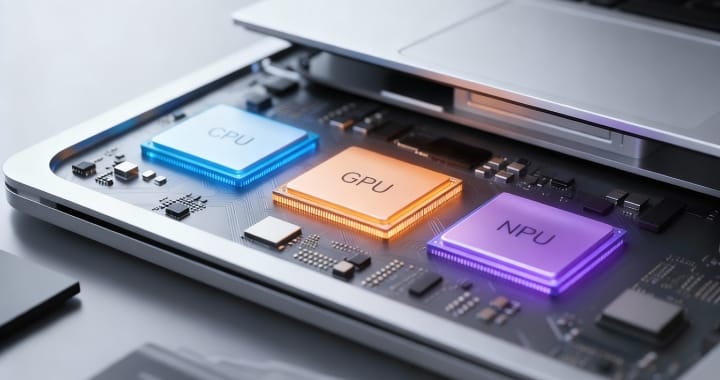
To understand what's changing, we need to delve a little into the technology and look under the hood of the clients. Something crucial has happened there. Alongside the familiar CPU and GPU, a third component has joined the team: the NPU (Neural Processing Unit). Its main task is to execute AI functions locally on the device.
The NPU is standard in modern Copilot+ devices. These aren't clients that can use a "better Copilot," but simply devices that meet a minimum technical standard – including an NPU with at least 40 TOPS. The distribution of roles among the three processing units is actually quite simple:
CPU – the all-rounder
It controls programs, processes logic, and coordinates processes. Flexible, reliable – but not specialized.
GPU – the powerhouse
It handles parallel tasks: video, graphics, rendering. Fast, but energy-intensive.
NPU – the AI specialist
Masters small but constantly active AI processes: pattern recognition, speech processing, image analysis, etc. Efficient and energy-saving.
In short: CPU calculates → GPU renders → NPU interprets
What will the power trio bring today – and what tomorrow?
Anyone unpacking a new Copilot+ device today won't notice anything unusual at first. Windows starts up as usual, and Teams, Outlook, and the Office programs run as normal. A glance at the Task Manager also reveals an average NPU utilization of just 2%. The NPU is practically idle. So, is it superfluous? That conclusion would be misleading. The NPU isn't in the device to be running at full speed right now. Rather, it's designed to handle what will be commonplace in 12-18 months. Microsoft is currently rolling out a whole wave of new AI features – as integral parts of Windows, Office, and Teams:
- Live transcription in meetings. Local. GDPR-compliant. Always active.
- Background blur, eye contact correction, noise reduction – all in parallel, not sequentially.
- Windows Recall and Screen Understanding – provided they can be implemented in compliance with data protection regulations.
- Real-time phishing detection. Credential protection. Screen watermarking.
- Context-based Copilot suggestions – not in the cloud, but on the device.
And Microsoft isn't alone: More and more partner manufacturers are integrating new AI features into their applications via DirectML – the API that allows manufacturers to connect their software to the NPU. Some programs, like MacAfee, Adobe Photoshop, Adobe Premiere Pro, CapCut, and OBS Studio, are already using the NPU. The infrastructure is in place, and development is underway. All of this already exists. Some is still in the pilot phase, some is already widely available. But it's not yet fully active or in its final configuration.
Why not? Because Microsoft is waiting until enough devices with NPUs are on the market. The software is waiting for the hardware. Anyone who buys devices without an NPU today is relying on the CPU and GPU to handle the load. While this works, it's not very efficient or energy-saving. And, most importantly, it results in noticeable performance losses.

Why the old procurement logic needs to be expanded.
For decades, procurement was guided by one question: "What performance do I need today?" It was also generally accepted that even inexpensive models offered more performance than the devices purchased years ago that were currently in use. Those who wanted more headroom opted for higher-performance versions, thus securing a reliable buffer for the coming years.
Experts now agree that this approach is flawed for future device cycles. The question must now be: Can the devices we purchase today deliver the software capabilities required in the coming years? In this context, choosing Copilot+ devices is not a luxury, but rather proactive risk management.
AI burden is becoming permanent.
AI is not a feature that can be switched off, but rather becomes part of the operating system.
Devices without an NPU are at a disadvantage.
The CPU and GPU then have to step in – at the expense of performance, battery life, and user experience.
The difference grows exponentially.
The more AI features are rolled out, the greater the difference between NPU devices and traditional clients.
Anyone procuring devices today is investing not just for 2026, but also for 2027, 2028, and potentially beyond. And anyone planning today without an NPU risks a scenario the client market hasn't seen in over a decade: devices that, in extreme cases, won't even last their planned lifespan because their software can no longer keep up.
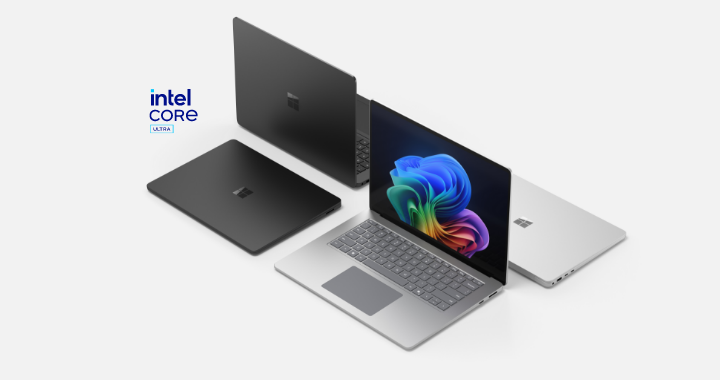
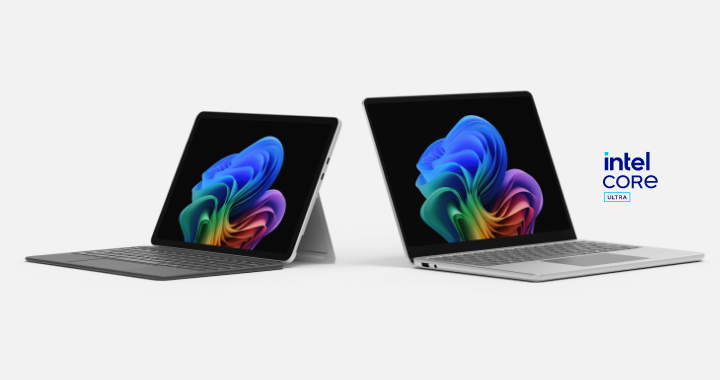
Why should a customer choose a Surface Copilot+ PC with an Intel Core Ultra processor?
Powerful & AI-accelerated: Intel Core Ultra offers CPU, GPU and NPU for fast, local AI features such as Recall, Live Captions and Copilot.
Long battery life: Efficient architecture for up to a full workday without charging.
High security: With Microsoft Pluton and Secured-Core PC for maximum business security.
Full compatibility: Native x86 support – no problems with business apps.
Premium experience: High-quality Surface design, touch, pen and Copilot button for direct AI access.
Conclusion: Think about tomorrow today.
What might initially sound like common sense is actually our urgent advice to everyone currently procuring new clients. The good news: those who plan properly now secure flexibility for the coming years. However, those who wait or try to save money in the wrong places will pay twice over later – in the form of reduced performance, lower user satisfaction, and, in the worst case, premature hardware replacement. Proactive planning pays off in several ways here.
Whitepaper: Well prepared for budget negotiations on AI devices. (Only German)
For all decision-makers who want to be fully informed and are looking for solid arguments for budget negotiations, we have compiled important information about Copilot+ PCs, NPUs, and the current market changes in a white paper. Download it now!