

Women talking about Windows 11.

Windows 10 support has ended – What businesses need to know now.

The end of support for Windows 10 marks a new era for business IT. For companies, migrating to Windows 11 is the logical next step. But what makes the move worthwhile? Why are alternatives rarely the better choice? And what government funding is available to support your transition? This article lays out the facts.

Just a few days ago, on 14 October 2025, Microsoft officially ended mainstream support for Windows 10. For businesses, this means no more free security updates, bug fixes or technical support. And that’s more than just a technicality. Without regular updates and patches, the risk of cyberattacks, data loss and compliance breaches increases with each passing day. Microsoft does offer an Extended Security Updates (ESU) programme for businesses, providing critical updates for up to three more years. But this comes at a cost—and only delays the inevitable. If your company is still running Windows 10, now is the time to act.

Would you like to learn more about switching to Windows 11?

Write to us! Our experts look forward to hearing from you.

Get in touch

Why are many businesses still hesitant?

Despite the clear facts, many businesses are reluctant to make the switch. The reasons are varied:

Operations Monitoring Icon

Concerns about compatibility.

Some of the hardware and software used in public-sector environments or specific industries may not work seamlessly with Windows 11, often requiring time-consuming reconfigurations or costly replacements.

Euro Icon

Concerns about cost.

New licences, hardware upgrades and user training can stretch budgets. In economically uncertain times, that’s often a dealbreaker.

Electrical-Operating-Room Icon

Concerns about disruption. 

Seasoned IT teams know better than to change a running systems—and worry that switching could disrupt day-to-day operations.

Hacker or hacker attack Icon

Concerns about security.

Migration itself isn’t risk-free. If not carefully planned and executed, it can lead to temporary security gaps, data loss or misconfigurations.
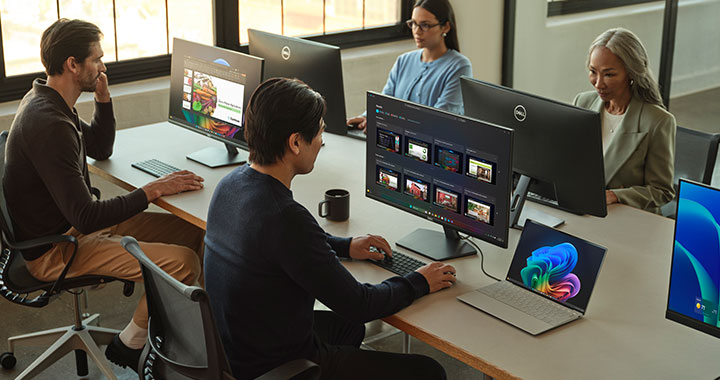
Windows 11 office

Why Windows 11 makes business sense.

Businesses that plan their move to Windows 11 carefully—and partner with the right experts—stand to gain far more than just a visual refresh.


1. Security that’s built in, not bolted on.

Windows 11 sets a new standard for enterprise protection. Features like hardware-based isolation, TPM 2.0, Secure Boot and Virtualization-Based Security (VBS) come as standard—keeping sensitive data safe from modern threats. It’s a clear win for compliance and peace of mind.


2. Designed for how teams work today.

Windows 11 offers a clean, intuitive interface and smart features like Snap Layouts and virtual desktops. With deep Microsoft 365 integration, collaboration becomes effortless—whether your teams are office-based or remote.

Windows 11 office
Why Windows 11 makes business sense.

Businesses that plan their move to Windows 11 carefully—and partner with the right experts—stand to gain far more than just a visual refresh.


1. Security that’s built in, not bolted on.

Windows 11 sets a new standard for enterprise protection. Features like hardware-based isolation, TPM 2.0, Secure Boot and Virtualization-Based Security (VBS) come as standard—keeping sensitive data safe from modern threats. It’s a clear win for compliance and peace of mind.


2. Designed for how teams work today.

Windows 11 offers a clean, intuitive interface and smart features like Snap Layouts and virtual desktops. With deep Microsoft 365 integration, collaboration becomes effortless—whether your teams are office-based or remote.

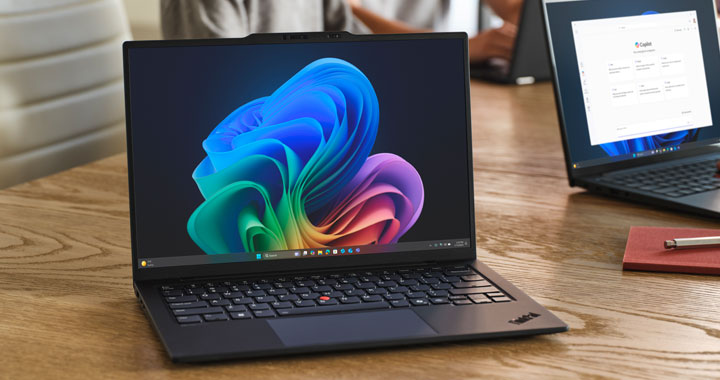
Laptop with Windows 11

3. Ready for AI and automation.

Windows 11 lays the foundation for the next generation of AI-powered tools. Copilot is deeply embedded—not just in Copilot+ PCs, but in Windows itself—bringing automation, intelligent insights and smarter workflows to everyday tasks. That’s a real edge for businesses looking to stay ahead.


4. Performance that scales with your business.

Built for modern hardware, Windows 11 delivers faster boot times, improved energy efficiency and smooth performance, even under pressure. Tools like Windows Autopilot and Microsoft Intune make it easier to roll out, manage and secure devices at scale.

Evaluating your options – Alternatives to Windows 11.

Not every business can—or has to—move to Windows 11. Depending on your use case and IT strategy, other options may be worth considering:

Linux distributions.
macOS.
Chrome OS.
Windows 10 with ESU.
Hybrid environments.
Linux distributions.

Open-source systems like Ubuntu or Fedora offer flexibility and strong security. However, they require specific expertise and are often incompatible with custom or industry-focused software and hardware. For most businesses, the effort to migrate to Linux outweighs the benefits.

macOS.

macOS scores points for its security, ease of use and seamless integration with the Apple ecosystem. On the other hand, the hardware is costly by comparison, and many Windows applications can’t be replaced like-for-like.

Chrome OS.

Chromebooks are a compelling option for cloud-based work environments—especially in education or for basic office tasks. They’re low-maintenance, secure and affordable, but only make sense with a consistent cloud-first strategy.

Windows 10 with ESU.

Microsoft’s paid Extended Security Updates (ESU) programme buys time, but it’s not a long-term solution. Costs increase annually, there are no more feature updates—and support ends completely in 2028.

Hybrid environments.

Many businesses now run a mix of operating systems across departments and roles, giving teams access to the tools that suit them best. It’s a flexible model, but one that demands more from IT support and device management.

Woman working with Windows 11

Unlock funding for your IT transformation.

Although the federal Digital Jetzt programme has ended, there are still plenty of funding options available to companies operating in Germany. Small and medium-sized businesses, as well as freelancers, can apply for two KfW ERP loans (“Digitalisation” and “Innovation”). These are low-interest promotional loans funded by the European Recovery Program (ERP) and provided by KfW, Germany’s development bank. They cover not only new hardware and software purchases, but also investments in process digitalisation, IT security, cloud infrastructure, AI and more. With no minimum loan amount required, even smaller digitalisation projects are eligible. Applications are submitted via your regular bank.

There are also regional programmes available throughout Germany. These include the Digitalbonus Bayern, which supports small businesses and can be applied for digitally via the ELSTER business account, and the Digitalisierungsprämie Plus Baden-Württemberg, which helps SMEs with up to 500 employees fund digitalisation projects. Applications are made via the L-Bank or your regular bank. Additional state-level programmes—for example, in Hesse, Lower Saxony, and North Rhine-Westphalia—can be found in the Federal Funding Database (Förderdatenbank des Bundes), which is available in German. Our experts are happy to advise you on the options available.

Woman working with Windows 11
Unlock funding for your IT transformation.

Although the federal Digital Jetzt programme has ended, there are still plenty of funding options available to companies operating in Germany. Small and medium-sized businesses, as well as freelancers, can apply for two KfW ERP loans (“Digitalisation” and “Innovation”). These are low-interest promotional loans funded by the European Recovery Program (ERP) and provided by KfW, Germany’s development bank. They cover not only new hardware and software purchases, but also investments in process digitalisation, IT security, cloud infrastructure, AI and more. With no minimum loan amount required, even smaller digitalisation projects are eligible. Applications are submitted via your regular bank.

There are also regional programmes available throughout Germany. These include the Digitalbonus Bayern, which supports small businesses and can be applied for digitally via the ELSTER business account, and the Digitalisierungsprämie Plus Baden-Württemberg, which helps SMEs with up to 500 employees fund digitalisation projects. Applications are made via the L-Bank or your regular bank. Additional state-level programmes—for example, in Hesse, Lower Saxony, and North Rhine-Westphalia—can be found in the Federal Funding Database (Förderdatenbank des Bundes), which is available in German. Our experts are happy to advise you on the options available.

Make the move to Window 11 and future-proof your business.

The end of support for Windows 10 isn’t something to wait out—it’s an opportunity to modernise your IT landscape and future-proof your business. Acting now means reducing risk, tapping into funding opportunities and gaining a clear competitive edge. Contact uswe’re here to support your migration.

Get in touch

two women looking at Win11
More information about the end of support for Windows 10.

We have further information on this topic for you, including white papers and a webinar recording. Find out more now!
Learn more

The roadmap for your Windows 11 migration.

An ideal start to familiarise yourself with the topic and prepare for the update to Windows 11. Includes a migration roadmap!

Download Whitepaper